 NCraft Browser
Group › Page › Topic › Chat
Above the address bar NCraft shows where you are: which group, which page, which topic and which chat. Every crumb is a menu, and the number next to it is how much is new there.


How it works
- Group — the team. Page — a site address within the group (the path, no query). Topic — a conversation about a page or the group. Chat — a thread inside a topic; every topic has a "General chat".
- Open a site and the crumbs pick the group and page for you.
- Group menu: the current group first, the rest by frequency; the folder icon opens the group card; a "Direct" section lists direct conversations.
- The page menu lists only pages that already have notes or conversations.
- Topic and chat menus have "+" and an inline create row. A page without a topic offers "Create topic"; a topic without chats offers "Create chat".
- Each row has "…" and a right-click menu: rename, mute, mark as read, delete.
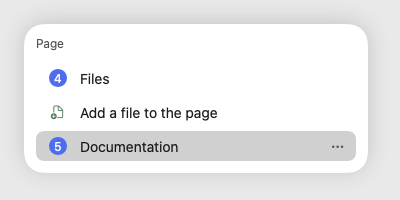
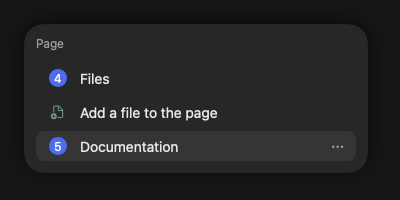
- Files of a place — the first item of each crumb's menu: "Group files" for a group, "Files" for a page, topic and chat, with the number of new files. A page also has "Add a file to the page" — the file is attached to the page without a message. Opening the section marks its files as read. More about files — /browser/chat. On macOS, Windows, iPhone and Android.
Group room
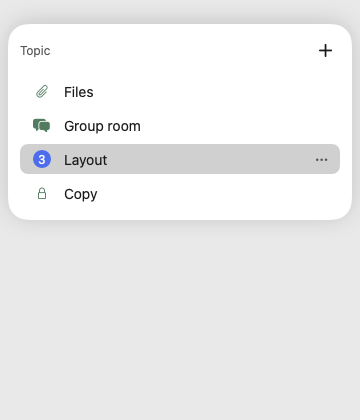
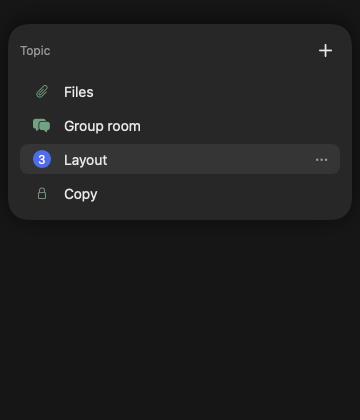
- "Group room" — in the topic menu below "Files", above the page's topics: the group's conversation outside websites (see /browser/chat). You pick it explicitly; going to another page brings you back to that page's conversation.
- With no website open, the crumbs read "Group › Group room › chat". "Create topic" is only on a website: topics belong to a page.
- On macOS and iPhone; Windows and Android — later.
Closed topics
- Tick the lock when creating a topic. Its content is encrypted with a separate topic key handed out by the organiser.
- The organiser adds ("Add to topic") and removes members; removing someone rolls the key to a new generation.
- Closed topics are a new feature: they pass core tests but haven't yet been widely tested live in the app.
Unread
- Only other people's messages, notes and tasks count.
- Numbers appear on crumbs, menu rows, group tiles and the tab tile.
- Your read position syncs to your devices: read on one, read everywhere.
- "Missed": click a group's number to see what's new, newest first; click an item to go there.
This page is a place to talk. Open it in NCraft: notes, tasks and chat about it sit right next to it, in an NCraft group.